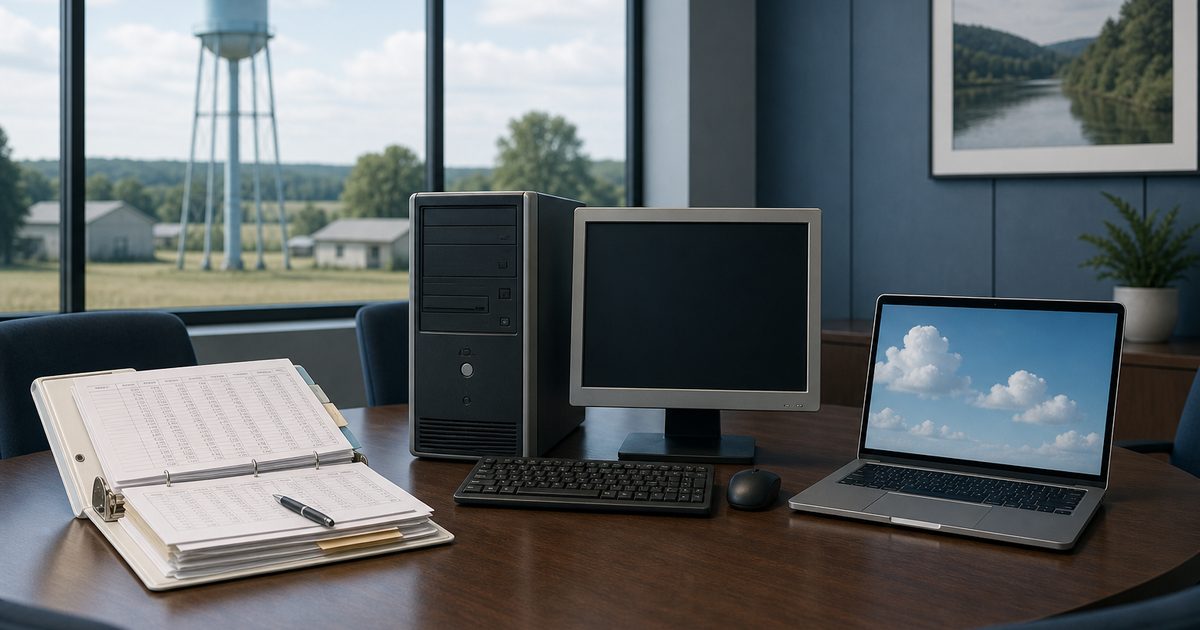
If you sit on a rural water board or help in the office, you have probably heard someone ask: “What do other associations use for billing?” It is a fair question. You want something proven, affordable, and manageable for the people who actually run your office: billing, meter reads, and customer payments in one workflow that scales whether you bill 100 connections or 10,000.
There is no single answer every association shares. Rural water associations use everything from spreadsheets and QuickBooks to municipal utility platforms and purpose-built billing systems. The right choice depends on your size, how you read meters, and how much of the monthly cycle you want in one place.
This article walks through the most common paths honestly, including where Online Water Bill fits, so you can evaluate options without a sales pitch.
Quick answer
Rural water associations use spreadsheets, aging desktop billing programs, enterprise municipal platforms, or purpose-built billing software. Online Water Bill scales from volunteer-run associations with a few dozen connections to cities and districts serving tens of thousands, with billing, meter reading, and a customer portal in one system.
The Short Answer
Most rural water associations fall into one of four categories:
- Spreadsheets or QuickBooks: common for very small associations or those with simple flat rates.
- Legacy desktop billing software: often installed years ago, sometimes with a local server or aging Windows PC.
- Municipal or enterprise utility platforms: broad feature sets for multi-utility cities; some water boards prefer a focused billing platform instead.
- Purpose-built water billing software: systems like Online Water Bill built for community water utilities that need billing, payments, meter reading, and a customer portal together, scaling from volunteer-run boards with a few dozen connections to cities and districts serving tens of thousands.
If you are researching because your current setup feels fragile, lost meter sheets, manual rate math, no online pay, you are probably ready to move from category 1 or 2 toward 3 or 4.
Spreadsheets and QuickBooks
Many associations start here because the tools are already familiar. QuickBooks handles general accounting well. A spreadsheet can track accounts if you have a few dozen connections and a simple rate structure.
Problems usually appear as you grow or as board members rotate:
- Meter readings live on paper and get typed in by hand.
- Rate tiers, late fees, and minimum bills require careful formulas.
- Customers call the office for balances that could be online.
- Only one person knows how the spreadsheet works.
See our deeper look at when to move beyond spreadsheets and QuickBooks.
Legacy Desktop Billing Software
Some associations run software installed on an office computer, sometimes decades old, sometimes tied to a specific bookkeeper who learned it years ago. It may work fine until the computer fails, the vendor stops updating, or you need online payments and a customer portal the old system does not offer.
Boards often research replacements when they face one of these triggers: the bookkeeper is retiring, customers expect to pay online, or meter reading in the field still means paper routes.
Municipal and Enterprise Platforms
Larger vendors serve cities, counties, and multi-utility districts. They offer broad feature sets: work orders, asset management, GIS integration, and more. For a large rural water district with paid staff and a formal IT budget, that can be the right fit.
For a community water board with a part-time office, whether you serve a few hundred connections or several thousand, the tradeoffs with enterprise platforms are often:
- Higher upfront and ongoing costs than many community association budgets expect.
- Implementation timelines measured in months, not days.
- Features you pay for but never use.
- Support contracts that feel like talking to a ticket queue, not a neighbor.
Enterprise suites can be the right fit for multi-utility cities with dedicated IT staff. Many water-only boards, from small rural associations to cities with tens of thousands of connections, prefer one platform for billing, reading, and pay.
Purpose-Built Software for Rural Associations
A smaller category of products focuses on rural and community water associations specifically. These systems typically combine:
- Billing: rates, fees, one-click billing runs
- Customer portal: balance, usage, online pay from a phone
- Meter reading: mobile routes, offline sync, optional AMR import
- Payments: card and bank online; cash and check in the office
- Mailing and reminders: optional paper bills and automated notices
- Hosting: no server in your closet
Online Water Bill is in this category. It was built by a rural water board member who also spent months as meter reader and bookkeeper for his association in Deer, Arkansas, so the workflow reflects real monthly cycles, not a generic utility demo.
Deer Community Water Association uses it today for billing, field reading, and online payments. You can read the full Deer story or browse their live customer portal.
How to Choose What Fits Your Board
Before comparing vendors, answer these questions at your next meeting:
- How many active connections do we bill?
- Do we read meters manually, with AMR, or both?
- Do customers expect online pay, or is the office still check-only?
- Who runs billing today, a volunteer, part-time bookkeeper, or paid manager?
- What is our realistic budget: one-time project vs. ongoing monthly fees?
- Do we need a customer portal on our own website, or is a shared platform fine?
Water utilities of all sizes often prioritize simplicity, predictable cost, and hands-on onboarding over sprawling feature lists they will not use day to day.
Quick Comparison
This is a simplified view for board discussions, not a vendor scorecard:
- Spreadsheets / QuickBooks: lowest software cost; highest manual labor and error risk.
- Legacy desktop: familiar if it still works; risky if unsupported or offline-only.
- Enterprise municipal: deep features; higher cost and complexity than many community boards need.
- Rural purpose-built (e.g. Online Water Bill): full billing cycle in one browser-based system; one-time setup quoted by size; 24/7 support included.
Not sure where your association fits?
Tell us how you bill today, connection count, meter reading method, and what you want to improve. We will give you an honest answer about whether Online Water Bill makes sense.
Frequently Asked Questions
What is the most popular billing software for water associations?
There is no single market leader for rural and community water associations. Many still use spreadsheets or aging desktop software. Associations modernizing often look for cloud billing with a customer portal and mobile meter reading, which is what Online Water Bill provides from volunteer-run boards with a few dozen connections to cities and districts serving tens of thousands.
Do rural water associations need special software?
Not always. Multi-utility enterprise platforms can include complexity and pricing that does not match a small volunteer board. Purpose-built water billing systems emphasize the monthly billing cycle, field meter reading on spotty cell service, and optional paper bills, and scale from small rural associations to cities with tens of thousands of connections.
Can we keep paper bills and still offer online pay?
Yes. Online Water Bill supports both. Mailing is optional; many associations keep paper bills while online pay grows over time.
How long does it take to switch systems?
With Online Water Bill, initial setup takes about 1–2 hours and most associations accept online payments within a few days. See our switching guide for the full path.
The Bottom Line
Rural water associations use a mix of tools, but the trend is toward integrated billing software that handles meter reads, payments, and customer access without a room full of servers. The best choice is the one your board can afford, your staff can run, and your members will actually use.
If you are comparing options, start with how you work today and what breaks every month. That answer points you to the right category faster than any feature checklist.