When a rural water board talks about going digital, the conversation usually starts with staff: billing software, meter reading, fewer envelopes to stuff. Then a board member asks the question members actually care about: “What will our customers see when they log in?”
That is the right question. A water association customer portal is the public face of your billing system. If it is confusing, members call the office. If it is clear, complaint calls drop and your treasurer gets evenings back.
Below is a practical checklist of what a utility customer portal should include for rural water associations, what you can skip, and how Online Water Bill handles each piece without forcing every member online.
Quick answer
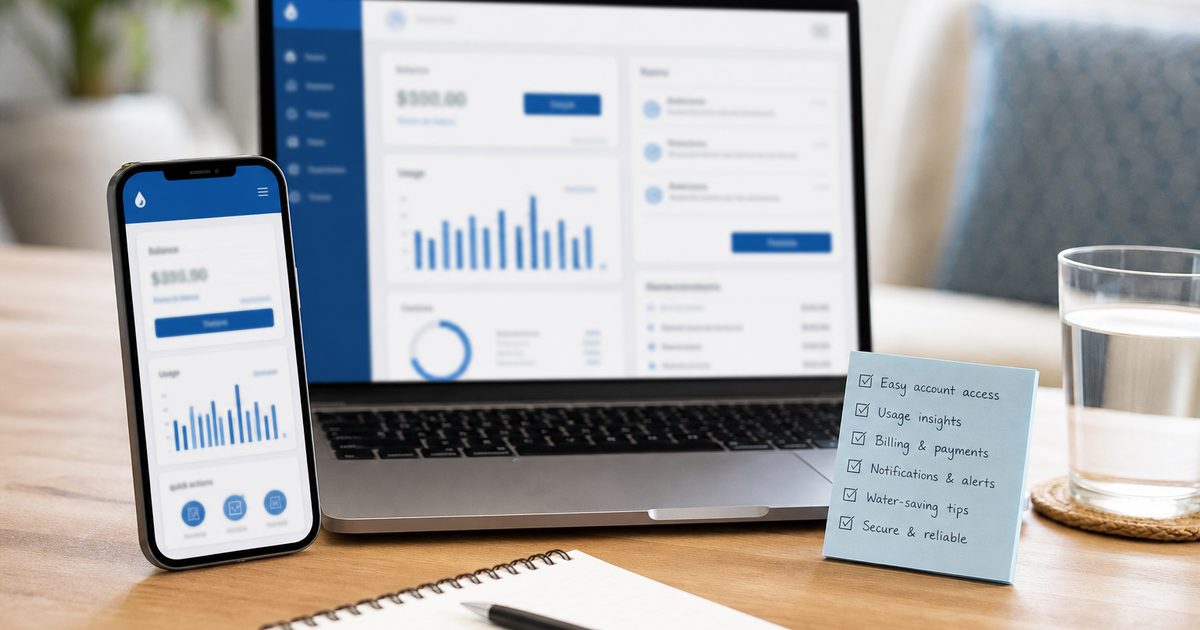
A water association customer portal should let members view their balance and usage history, pay online by card or ACH, and review past payments, all from a mobile-friendly website with no app download. Simple login, optional paper bills, and association-branded pages complete the picture for rural utilities.
Why the Customer Portal Matters
Large city utilities spend millions on call centers and self-service apps. Rural water associations do not have that budget, but they hear the same questions every month:
- “What do I owe?”
- “Did my check get applied?”
- “Why did my bill go up?”
- “Can I pay without driving to the office?”
A good portal answers those questions at 9 p.m. on a Sunday without ringing the board president. It also cuts down on duplicate payments, lost checks, and “I never got my bill” disputes when usage history is visible in one place.
For volunteer-run boards, the portal is not a nice extra. It is the difference between five complaint calls a night and zero. Deer Community Water Association in Newton County, Arkansas saw exactly that after switching. Read the Deer case study or browse their live customer portal to see what members experience today.
Essential Features Checklist
When you evaluate any online water billing system, start with what customers need on day one. These are the core online water billing system features for customers that rural associations should not compromise on.
View current balance
Members should see what they owe right now, not a PDF from last month buried in email. The balance should reflect recent payments and any credits or adjustments staff posted. Clear dollar amounts reduce “what do I owe?” calls.
Usage history
Usage history is how you explain a high bill without an argument. Show gallons (or cubic feet) by billing period so members can spot a leak, a long irrigation season, or a misread before it becomes a board meeting topic.
Pay online by card or ACH
Online pay should accept credit and debit cards plus bank account (ACH) transfers. Payments run through a PCI-certified processor like Stripe so card numbers never touch association computers. See our guide on how water associations accept online payments safely for the security details your board will ask about.
Payment history
Members want proof they paid. A payment history list, with dates, amounts, and payment method, stops repeat payments and gives treasurers something concrete when a member insists a check was lost.
No app download required
Rural members should not need to find your utility in an app store or update an app every six months. A mobile web portal works in any browser on a phone, tablet, or desktop. Bookmark the page and you are done.
Mobile-friendly design
Many rural members will only ever use the portal on a phone. Buttons, text, and payment forms should be readable without pinch-zooming. If your treasurer can pay a test bill on her phone in the parking lot, you are in good shape.
What Boards Often Overlook
The checklist above covers the basics. These details separate a portal members actually use from one that collects dust.
Simple login
Customers should log in with something they already know: account number plus a verification step, or email and password after a one-time setup. Avoid systems that require a separate utility-wide username format nobody remembers. Password reset should work without calling the office.
Association-branded site
The portal should look like your water association, not a generic SaaS login page. Your logo, your name, and a URL members recognize build trust. Online Water Bill hosts each association on its own subdomain so Deer members see Deer branding, not a faceless billing vendor.
Paper bills still OK
Going digital does not mean canceling mail for everyone. Many rural members prefer a paper bill in the mailbox. A good system supports both: mailed invoices for those who want them, and portal access for those who do not. Online pay is optional, not mandatory. Cash and checks in the office still work alongside card and ACH in the portal.
Autopay for those who want it
Autopay is not required, but members who travel or forget due dates appreciate it. Offer it as a choice inside the same portal, with clear confirmation before any charge runs.
What You Can Skip (For Now)
Enterprise municipal systems bundle dozens of customer-facing modules. Rural associations rarely need them on day one.
- Native mobile apps. A responsive website covers phones without App Store maintenance.
- Social login. Facebook or Google sign-in adds complexity without helping a 70-year-old member pay a water bill.
- Chatbots. A clear balance and a pay button beat an AI that cannot see account data.
- Usage alerts on day one. Nice later; not a blocker for launch.
Start with balance, usage, pay, and history. Add extras once members are logging in regularly.
How Online Water Bill Delivers This
Online Water Bill was built for community water utilities that want billing, reading, and payments in one system rather than a dozen separate city modules. The customer portal is included with billing, meter reading, and payments rather than a bolt-on with a separate login. Utilities from volunteer-run boards with a few dozen connections to cities and districts with tens of thousands of service connections use the same platform.
- Balance and usage update from the same billing run staff already use. No duplicate data entry.
- Card and ACH payments through Stripe, with payment history visible immediately after checkout.
- Mobile web access with no app download. Works on the phones members already carry.
- Branded subdomain for your association so the portal feels local, not outsourced.
- Paper and online together. Mail bills to members who want them; let others pay at midnight from the couch.
For screenshots and a board-ready walkthrough, see the customer portal section in our features overview or the Association Guide.
Frequently Asked Questions
Do customers need to download an app?
No. Online Water Bill uses a mobile-friendly website that works in any browser. Members bookmark the page or tap a link from a bill reminder. There is nothing to install or update from an app store.
Can members still receive paper bills?
Yes. The portal is additive, not a replacement for mail. Associations can continue mailing paper invoices to members who prefer them while offering online access and pay to everyone else.
Is the portal required to pay?
No. Members can still pay by cash, check, or money order in the office or by mail. Online pay is a convenience for those who want it, not a requirement for every account.
What do customers use to log in?
Each association sets up simple credentials tied to the member account. The goal is something a customer can remember or reset without calling the office during business hours.
Can the portal show our association name and logo?
Yes. Each association gets a branded customer portal on its own subdomain so members see your identity, not a generic billing vendor login screen.
The Bottom Line
A water association customer portal should give members the basics without friction: current balance, usage history, secure online pay by card or ACH, and a record of past payments. It should work on a phone with no app download, use simple login, stay branded to your association, and leave paper bills and in-office payments available for members who prefer them.
That is the bar for rural utilities. Online Water Bill includes all of it in one system built for boards like yours. Reach out for a walkthrough, or share the Association Guide at your next meeting.
See the customer portal in action
We will walk through balance, usage, payments, and branding for your association.