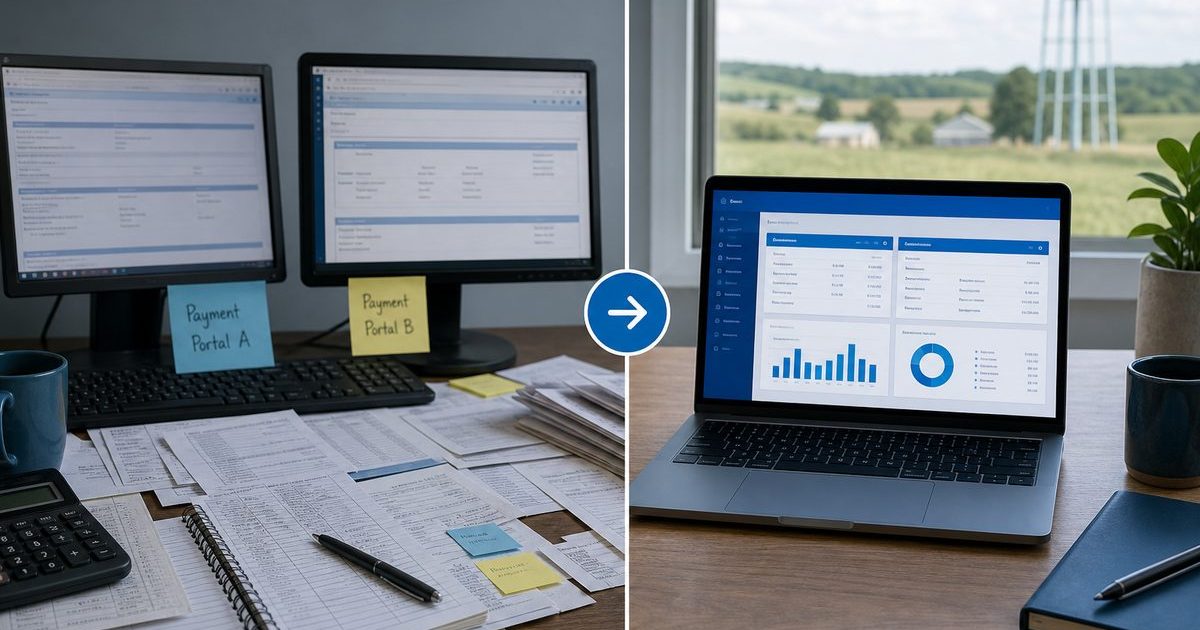
Bolt-on payment portals like NexBillPay, InvoiceCloud, and Paymentus solve exactly one problem: they let members pay a bill online. The catch is that they only handle the payment step. Your meter reads, rate calculations, account balances, and accounting still live in a separate billing system, so your office is left running two platforms that have to agree with each other every single cycle.
Whether you call it switching from or upgrading from NexBillPay, InvoiceCloud, or Paymentus, the gap is where the work piles up. Payments collected in the portal have to be matched and balanced against the billing system by hand, exceptions get chased down one by one, and your clerk maintains two logins, two support lines, and two contracts to keep a single bill paid. This guide explains why bridging a payment portal to a separate billing system creates unnecessary overhead, and why an all-in-one solution that keeps everything in one place is simpler to run.
Quick answer
Payment portals like NexBillPay, InvoiceCloud, and Paymentus handle the payment step but sit beside your separate billing system, so staff must manually balance two systems every cycle and maintain two logins, contracts, and support lines. Online Water Bill is all-in-one, billing, meter reading, mailed bills, online payments, and the customer portal in one place, so payments post directly to the account with nothing to reconcile between systems.
What These Payment Portals Actually Do
NexBillPay, InvoiceCloud, and Paymentus are payment presentment and processing vendors. They display a balance and take a card or ACH payment, then hand the money and a transaction report back to whatever system you actually bill from. They are a layer, not the whole stack.
For a water association that means the portal never knows the full picture: it does not read meters, calculate tiered rates, apply late fees by your policy, or produce the mailed bills your check payers still rely on. Those jobs stay in a separate billing or accounting system. You are not replacing your billing software when you add one of these portals; you are adding a second system next to it.
The Real Cost: Balancing Two Systems
Two systems that hold the same money but live in different places have to be reconciled, and that reconciliation is manual far more often than vendors admit:
- Daily and monthly balancing. Someone has to confirm that what the portal collected matches what the billing system shows as paid, line by line, before the books close.
- Import, export, and re-keying. Payment files get exported from the portal and imported into billing, or worse, typed in by hand. Every transfer is a chance for a number to drift.
- Timing gaps. A payment can show as collected in the portal today but not post to the billing system until a batch runs, so balances disagree in the window between.
- Exception hunting. Partial payments, reversals, NSF returns, and adjustments rarely flow cleanly between two systems, so each one becomes a manual fix.
- No single source of truth. When the portal and the billing system disagree, your clerk has to decide which one is right before a member can get a straight answer.
This is the same control problem boards hit when an outside vendor owns part of the billing chain: the more hand-offs between systems, the more places a payment can get lost.
Overhead That Adds Up Every Cycle
Beyond reconciliation, running a payment portal alongside billing multiplies the routine work:
- Two logins and two dashboards to check before anyone trusts a balance.
- Two contracts and two fee schedules, with processing costs and platform fees split across vendors that each want their cut.
- Two support lines. When a payment does not post, you call one vendor, they point at the other, and your member waits.
- Two security surfaces. Each integration and data hand-off is one more place to vet for PCI compliance and member-data handling.
- Member confusion. A payment screen that looks and feels like a different company makes members wonder if they are even paying the right place.
For a volunteer board or part-time clerk, that is hours a month spent making two systems agree instead of serving members, exactly the overhead an all-in-one tool is meant to remove.
One System, One Source of Truth
The simpler model is to keep everything in one place. With Online Water Bill, billing, meter reading, mailed bills, online payments, and the customer portal are the same platform, so there is no second system to balance against.
- Payments post directly. When a member pays, the balance updates in the same system that produced the bill. Nothing to import, nothing to reconcile between platforms.
- One ledger, one truth. The portal balance and the billing balance are the same number because there is only one of them.
- One login, one contract, one support line. When you call, you reach the people who run the whole system, not a vendor who points at another vendor.
- Transparent, PCI-safe processing. Card and ACH run through PCI-compliant Stripe with fees your board sets, not stacked across multiple middlemen.
- Field reads to billing to portal. Usage flows straight from mobile meter reading into the bill and onto the member’s portal, with no retyping.
Online Water Bill scales from volunteer-run boards with a few dozen connections to cities and districts serving tens of thousands, so the all-in-one model works whether you collect 80 payments a month or 8,000.
How Switching or Upgrading Works
Moving off a bolt-on portal is usually easier than the integration you set up to add it, because you are removing a system instead of wiring two together:
- Import accounts and balances. We bring your current accounts and balances into one system so members pay you directly within days.
- Retire the second login. Once billing and payments share a ledger, the separate portal, export step, and balancing routine simply go away.
- Point members to the official portal. Print your portal URL on every mailed bill so members pay the all-in-one way out of habit.
- Keep check and cash payers. Consolidating online payment does not force anyone online; it just ends the two-system juggling for your office.
See why switching is easier than you think, compare the bolt-on aggregator problem in switching from doxo, and review how Online Water Bill is priced before your next meeting.
Tired of balancing two systems every cycle?
Tell us which billing system and payment portal you run today. We will show you what it looks like to put billing and payments in one place, with nothing to reconcile between platforms.
Frequently Asked Questions
Do NexBillPay, InvoiceCloud, and Paymentus replace our billing system?
No. They are payment presentment and processing portals that handle the payment step. Your meter reads, rate calculations, balances, and mailed bills still live in a separate billing system, which is why your office ends up running two platforms.
Why do we have to balance between two systems?
Because the money is collected in the payment portal but the account lives in the billing system. Until those two agree, your books are not closed, so staff reconcile collected payments against billed balances every cycle, often by exporting and importing files or re-keying by hand.
How does an all-in-one system remove that work?
When billing and payments are the same platform, a payment posts to the same ledger that produced the bill. There is one balance, not two, so there is nothing to import, export, or reconcile between systems.
Is switching to one system harder than keeping the portal?
Usually it is easier, because you are removing a system rather than maintaining an integration between two. We import your accounts and balances so members can pay you directly within days, then the separate portal and balancing routine go away.
Is upgrading from NexBillPay, InvoiceCloud, or Paymentus different from switching?
No. Whether boards say switching or upgrading from a bolt-on payment portal, the work is the same: move billing and payments into one system so staff stop balancing two platforms every cycle.
Will members who already pay online have to change anything?
They simply pay through your association’s own portal going forward. Print the portal URL on every bill and members move over naturally, while check and cash payers keep paying the way they always have.
The Bottom Line
A payment portal bolted onto a separate billing system means two of everything, two logins, two contracts, two support lines, and a balancing routine every cycle. Put billing and payments in one place and that overhead disappears. See related guides below or reach out to talk through your setup.